CANVA CRASH COURSE
Canva Crash Course
Learn Canva Fast. Create Digital Products. Build a Profitable Skill.
Most people open Canva, click around for a few minutes, and quickly feel overwhelmed.
Too many tools.
Too many features.
No clear system.
The Canva Crash Course was created to eliminate that confusion.
Instead of wasting hours trying to figure out how Canva works, this guide walks you through the platform step by step so you can confidently design, create digital products, and use Canva as a powerful creative and business tool.
Whether you want to design for your brand, create products to sell, or build professional looking content for marketing and social media, this course gives you a clear and practical roadmap.
What This Canva Crash Course Teaches You
This is not just a basic Canva tutorial.
It is a complete beginner to creator guide that shows you how to understand the platform, master the tools, and turn Canva into a productive design system.
You move from learning the basics to creating real digital products that can be used, customized, or sold.
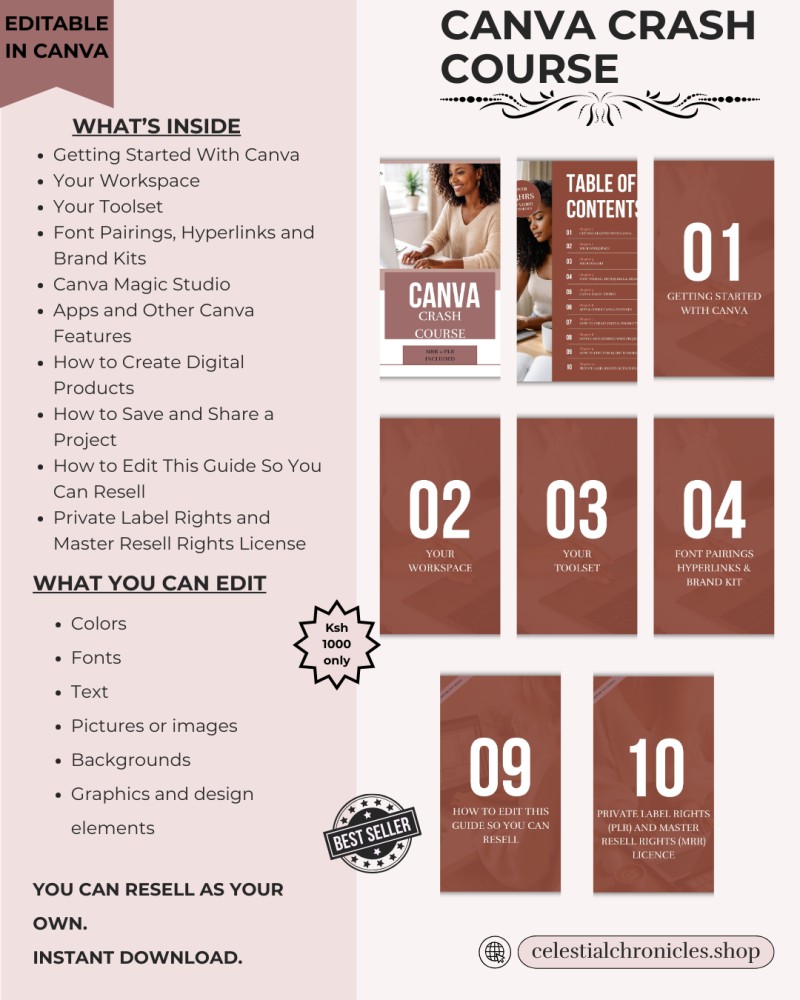
What You Will Learn Inside
1. Getting Started With Canva
Learn how to set up your Canva account, navigate the platform, and understand the foundation of Canva so you can start designing immediately.
2. Your Workspace
Understand the Canva interface and how to organize your workspace so you can design efficiently and work faster.
3. Your Toolset
Learn how to use Canva’s core tools including elements, layouts, graphics, templates, and editing features.
4. Font Pairings, Hyperlinks and Brand Kits
Discover how to combine fonts professionally, create clickable hyperlinks in your designs, and use brand kits to keep your designs visually consistent.
5. Canva Magic Studio
Explore Canva’s AI powered tools that help you generate designs, automate creative tasks, and speed up your workflow.
6. Apps and Other Canva Features
Learn how to use Canva apps and additional platform features that expand what you can create and design.
7. How to Create Digital Products
This chapter teaches you how to design digital products such as planners, journals, templates, and other downloadable resources that can be sold online.
8. How to Save and Share a Project
Learn the correct methods for exporting, downloading, and sharing Canva designs for customers, clients, or personal use.
9. How to Edit This Guide So You Can Resell
You will learn how to customize and modify this guide so you can brand it as your own product.
10. Private Label Rights and Master Resell Rights License
This course includes Private Label Rights (PLR) and Master Resell Rights (MRR). This means you are allowed to edit, rebrand, and resell the Canva Crash Course as your own digital product.
Why This Course Is Valuable
Learning Canva is one of the most practical digital skills you can develop today.
With Canva, you can design:
Digital products
Marketing graphics
Social media content
Business materials
Printable products
Brand assets
This guide shows you how to use Canva both as a creative tool and an income generating skill.
Perfect For
This guide is ideal if you want to:
Learn Canva quickly without confusion
Start creating digital products
Design content for your business or brand
Sell templates and digital products online
Build a new digital skill that generates income
Resell a ready made digital product with PLR and MRR rights
Includes Resell Rights
One of the most powerful features of this course is that it can also be resold.
Because it comes with Private Label Rights and Master Resell Rights, you are allowed to:
Edit and customize the guide
Rebrand it with your name or business
Sell it as your own digital product
Use it as part of your digital product store or course bundle
This gives you not only the knowledge to learn Canva but also a ready to sell digital asset you can monetize.
Turn Canva Into a Creative and Business Tool
Design is no longer limited to professional graphic designers.
With the right guidance, anyone can learn how to create beautiful, professional designs.
The Canva Crash Course gives you the knowledge, structure, and resell rights needed to learn the platform and turn your Canva skills into real opportunities.